Click the “Download APK” button above to download the Enroli installation file to your Android device
File size: ~15 MB
Installation from this source
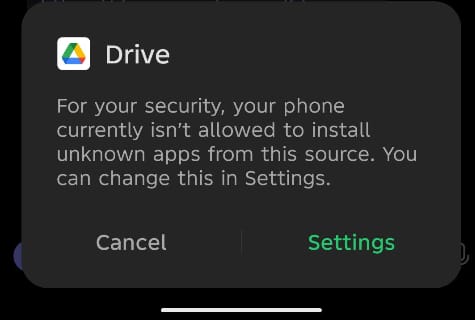
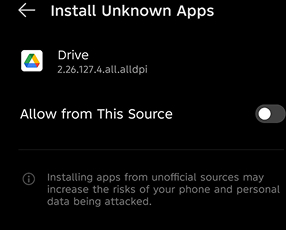
If your device blocks the install, you’ll see a warning. Tap Settings on that screen, then turn on “Allow from this source.”
Go back and tap Install again to continue. You’ll only need to do this once.
Go to Settings
Open your device Settings app
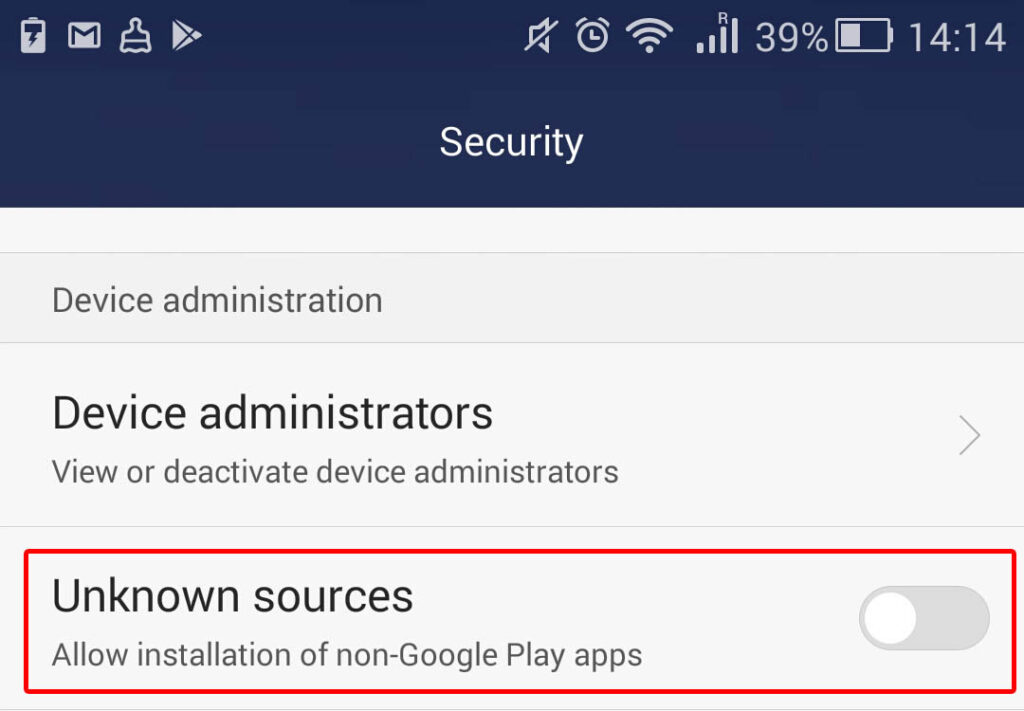
Navigate to Security
Find "Security" or "Privacy" settings
Enable Unknown Sources
Toggle on "Install unknown apps" or "Unknown sources". You can disable it after
Complete installation and launch
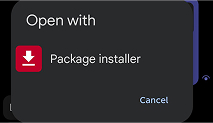
Tap Install and wait a few seconds. Once installation is complete, tap Open to launch Enroli SIS and sign in.
Installation takes less than a minute
Open and Enjoy
Once installed, open enroli from your app drawer and start exploring all the features!
You are all set!
Common Questions
Is it safe to enable unknown sources?
Yes, as long as you download apps from trusted sources like enroli.app. You can disable this setting after installation for added security.
Why is the Enroli App not on the Play Store?
We are currently in the process of getting enroli listed on the Play Store. In the meantime, you can download directly from our website.
Will I receive updates?
Yes! The app will notify you when updates are available, and you can download them directly from within the app.
Need help? If installation doesn't complete or the app won't open, restart your device and try again, or reach out to your school's IT support team