


Student records sit at the heart of every university. They capture identity, academic history, qualifications earned, and the official proof of a learner’s journey through an institution. Yet, in many universities, these records are still managed through processes designed decades ago. Paper files, scattered folders, email chains, and manual approvals continue to shape how transcripts and certificates are created and shared. In 2026, this gap between modern education delivery and outdated record management will no longer be sustainable. Student expectations have changed, regulatory requirements are tighter, and institutional scale has grown.
Student records automation is now a strategic necessity, not a back-office upgrade. Universities are enrolling more students, running multiple programs across campuses, and serving alumni long after graduation. Each interaction generates data that must be accurate, secure, and easy to retrieve. When records are automated and centralised, institutions gain control, speed, and trust. When they are not, even simple requests become bottlenecks that damage reputation and drain staff time.
Why Manual Records Fail at Scale

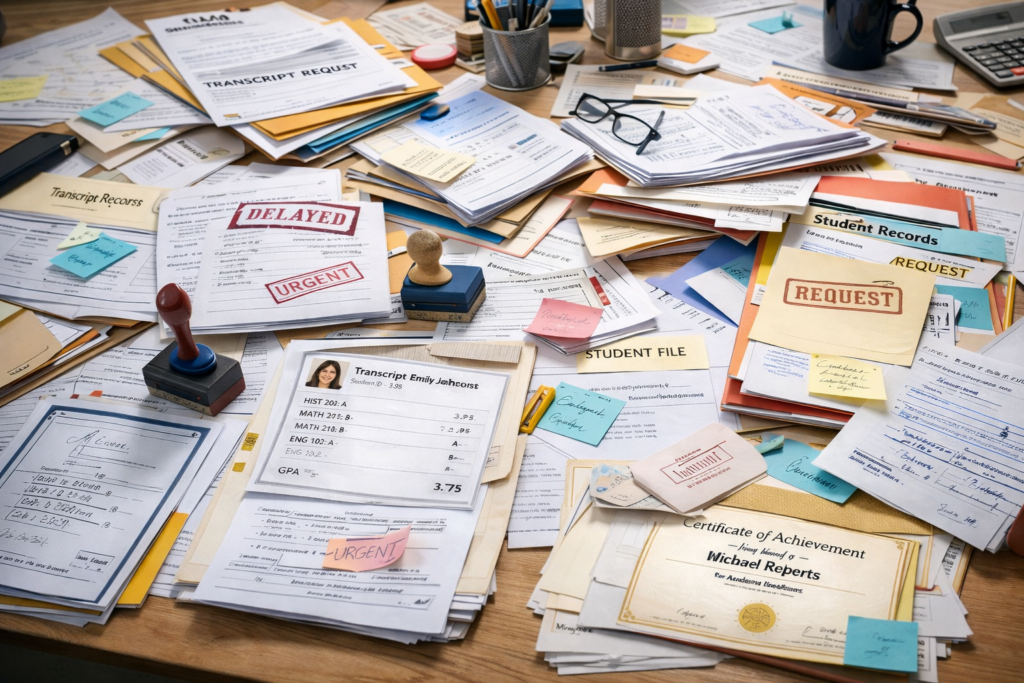
Manual record management works only when student numbers are small and processes are informal. As soon as enrollment grows, cracks appear. Human error becomes inevitable. A grade entered incorrectly, a file mislabelled, or a document misplaced can permanently alter a student’s academic history. These errors are hard to trace and even harder to fix once records are duplicated across offices.
Delays are another major problem. Transcript requests often require multiple handoffs between departments. Registry staff search physical files or outdated spreadsheets. Finance teams manually confirm payments. Approvals move slowly through emails and signatures. What should take minutes stretches into weeks, blocking students from meeting job, scholarship, or visa deadlines.
Physical storage creates its own risks. Paper records degrade over time, are vulnerable to fire or flooding, and can be lost during office moves. Even digital files stored on local systems are not immune. Without proper backups and version control, universities risk permanent data loss. Duplicate copies of the same record often exist in different departments, leading to version conflicts where no one is sure which document is final.
Perhaps the most costly failure is time. Highly trained administrative staff spend hours retrieving files, confirming details, and responding to follow-up queries. This is time that could be spent on student support, process improvement, or institutional planning. At scale, manual systems quietly but consistently erode efficiency.
What a Digital Records System Manages
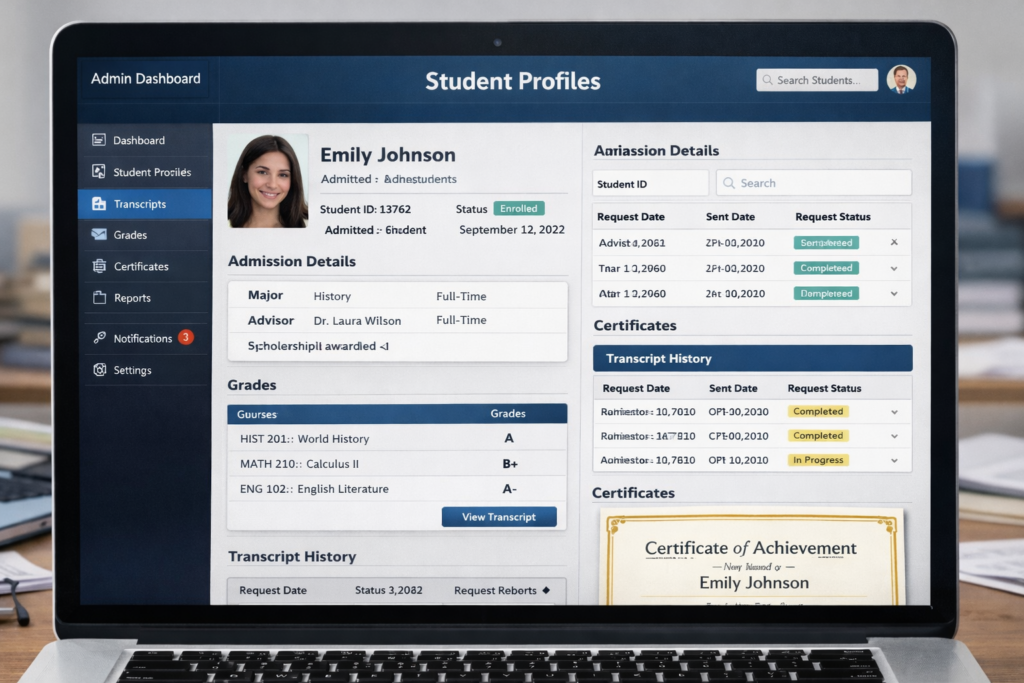
A modern student records automation system goes far beyond storing PDFs. It acts as a single source of truth for all academic and identity data across the student lifecycle.
At the point of entry, the system manages admissions files and student identification records. Application documents, offer letters, ID numbers, and enrollment confirmations are linked to one master profile. This profile follows the student throughout their academic journey.
As learning progresses, the system captures academic progress and full grade history. Continuous assessment scores, exam results, and semester outcomes are updated automatically from platforms like an LMS. This ensures accuracy and removes the need for manual re-entry.
Certificates and degree issuance are also handled digitally. Once graduation criteria are met, the system generates official certificates directly from verified academic data. This reduces errors and speeds up issuance.
Transcript archives form a core component. Every transcript generated is stored with search and access controls. Staff can retrieve records instantly using filters such as year, program, or student ID. Alumni records are preserved long after graduation, with access logs showing who viewed or shared a document and when.
Together, these capabilities turn student records from static files into a living system that supports academic integrity and institutional memory.
How Automation Speeds Transcript Requests
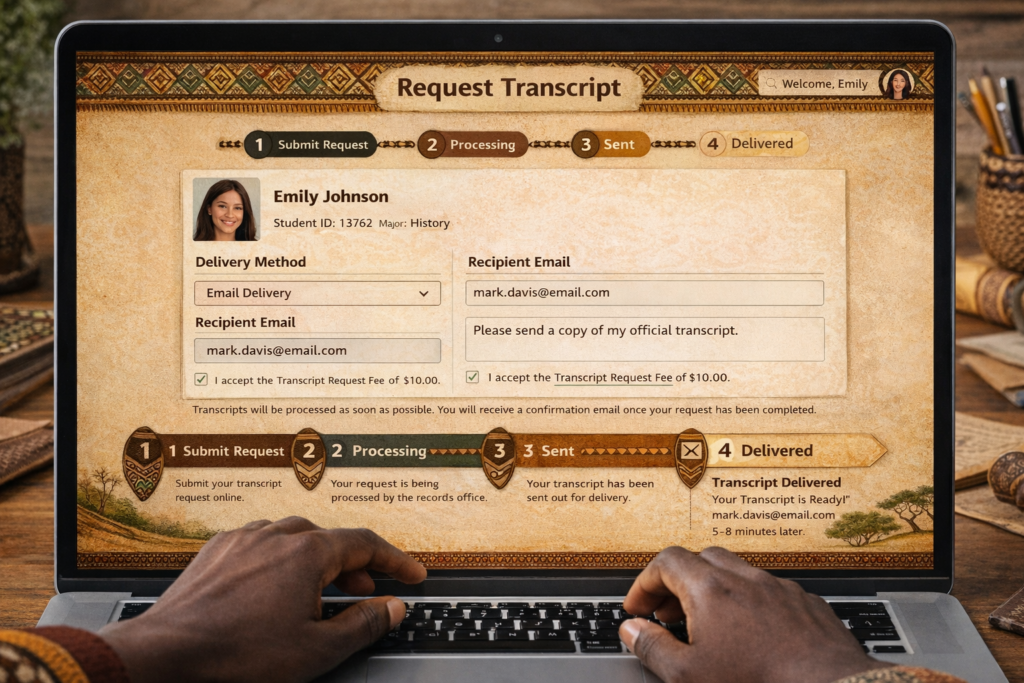
Transcript requests highlight the real value of academic document automation. In a fully automated environment, the process is straightforward and fast.
A student or alumnus submits an online transcript request through a secure portal. The system validates their identity instantly using stored credentials and verification rules. There is no need for in-person visits or email back-and-forth.
Payment, if required, is processed and confirmed automatically through the finance system integration. Once cleared, the system pulls verified academic data from the central database and generates the transcript in the approved institutional format.
Within hours, not weeks, a digital transcript is delivered securely to the student’s email or directly to the receiving institution. Every step is logged, creating a clear audit trail. This level of speed and reliability is increasingly expected by students who are used to real-time digital services in other areas of life.
Digital transcripts are also harder to tamper with. Secure formats, access controls, and verification features help protect institutional credibility. Solutions like DocuSign demonstrate how digital document workflows can maintain trust while improving efficiency in education environments.
How Vigilearn Handles Record Automation
Vigilearn approaches student records automation as part of a connected education ecosystem. At the centre is a central student master profile created once and updated continuously.
Data flows automatically from learning platforms like EdiifyLMS and administrative systems such as Enroli SIS. Grades, attendance, course completion, and administrative updates sync in real time. This eliminates duplicate data entry and reduces errors.
Academic teams access records through secure, role-based permissions. A lecturer sees what they need for teaching and assessment. Registry staff manage official documents. Leadership views aggregated reports without exposing sensitive details.
Transcript and certificate generation are instant. Because all academic data is already verified and centralised, documents are created directly from the system, not assembled manually. Every document action, creation, edit, or download, is logged, ensuring full accountability.
This approach aligns with global best practices in digital education transformation highlighted by organisations like UNESCO, which emphasise secure, interoperable digital systems for education management.
Compliance and Storage Rules
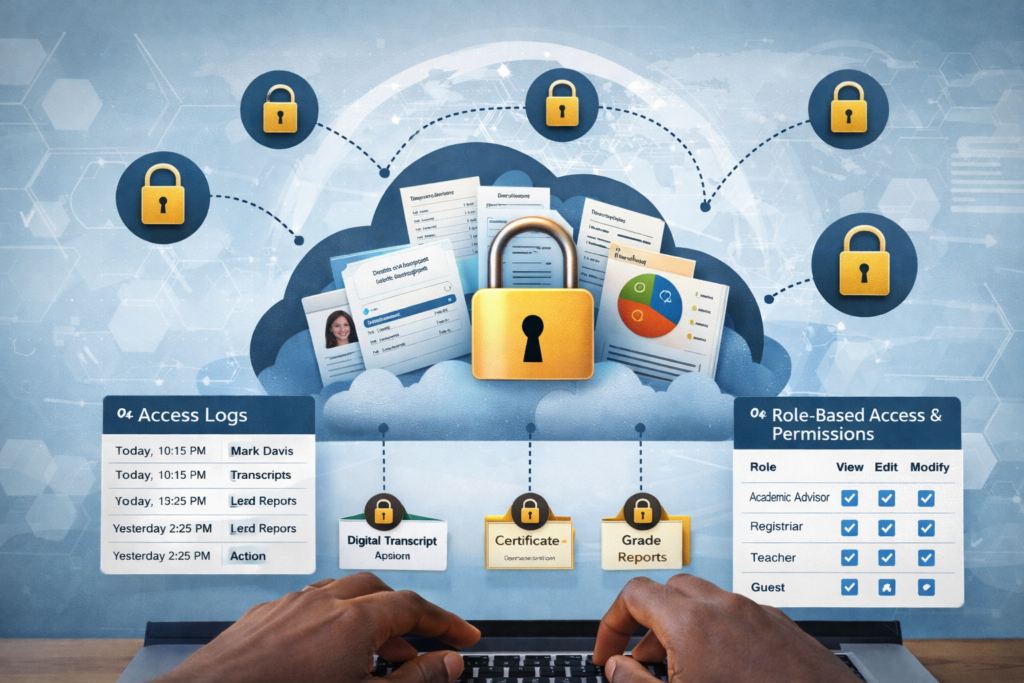
Automation must be built on strong compliance and security foundations. Student records are sensitive and legally protected. Any system managing them must enforce strict controls.
Role-based access ensures that only authorised users can handle specific documents. Encryption protects data both at rest and in transit, safeguarding student identity and academic history. Secure cloud storage solutions, such as those offered by AWS for education, provide durability and redundancy that physical systems cannot match.
Every access is logged. Access history records of who viewed or shared a file, when it happened, and for what purpose. This transparency supports audits and regulatory reviews. Secure backups ensure that records are recoverable even in the event of system failure or disaster.
Digital consent mechanisms track when students authorise the sharing of their documents with third parties. This is especially important for transcript verification and international applications. Platforms like Microsoft highlight the importance of secure, compliant education data environments as institutions modernise.
In 2026, student records automation will define how efficient, trustworthy, and student-focused a university can be.